
Illustrated talent catalogue
1 point every 50 zones reached · 1 point = 1 talent level
Starting talent

Root of Ambrosia
Maximum level 100 · 1 point per level
- Lv. 1
- Increases your global DPS and click damage by 2%.
- Lv. 100
- Increases your global DPS and click damage by 200%.
Idle damage and economy

Idling Force
Maximum level 100 · 1 point per level
- Lv. 1
- Increases the base DPS of all heroes by 3%.
- Lv. 100
- Increases the base DPS of all heroes by 300%.

Flashing Blades
Maximum level 100 · 1 point per level
- Lv. 1
- Gives your heroes a 1% chance to land a passive Critical Hit.
- Lv. 100
- Gives your heroes a 100% chance to land a passive Critical Hit.

Bountiful Harvest
Maximum level 100 · 1 point per level
- Lv. 1
- Increases all passive gold dropped by monsters by 2%.
- Lv. 100
- Increases all passive gold dropped by monsters by 200%.

Resting Fortune
Maximum level 100 · 1 point per level
- Lv. 1
- Increases gold earned while offline by 2%.
- Lv. 100
- Increases gold earned while offline by 200%.

Golden Syndicate
Maximum level 100 · 1 point per level
- Lv. 1
- Reduces the purchase and upgrade cost of all heroes by 0.5%.
- Lv. 100
- Reduces the purchase and upgrade cost of all heroes by 50%.

Golden Fate
Maximum level 100 · 1 point per level
- Lv. 1
- Multiplies gold gained from Golden Enemies by 3%.
- Lv. 100
- Multiplies gold gained from Golden Enemies by 300%.
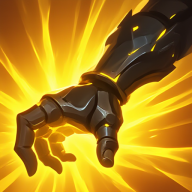
Midas Touch
Maximum level 100 · 1 point per level
- Lv. 1
- Increases the amount of gold stolen by Gold Plunder by 2%.
- Lv. 100
- Increases the amount of gold stolen by Gold Plunder by 200%.

Idle Overlord
Maximum level 100 · 1 point per level
- Lv. 1
- Multiplies the global DPS of all your heroes by 10%.
- Lv. 100
- Multiplies the global DPS of all your heroes by 1000%.

Scroll Collector
Maximum level 100 · 1 point per level
- Lv. 1
- +2% Blank Scrolls from bosses
- Lv. 100
- +200% Blank Scrolls from bosses

Divine Transmutation
Maximum level 100 · 1 point per level
- Lv. 1
- Increases the conversion rate of Scrolls into Enchanted Scrolls during Divine Awakening by 0.25%.
- Lv. 100
- Increases the conversion rate of Scrolls into Enchanted Scrolls during Divine Awakening by 25%.
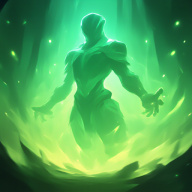
Deep Meditation
Maximum level 100 · 1 point per level
- Lv. 1
- Multiplies your global DPS by 5% after 10 seconds without making a manual click.
- Lv. 100
- Multiplies your global DPS by 500% after 10 seconds without making a manual click.

Gilded Gears
Maximum level 100 · 1 point per level
- Lv. 1
- Increases global gold gained by 0.5% for each inactive Auto-Clicker you own.
- Lv. 100
- Increases global gold gained by 50% for each inactive Auto-Clicker you own.
Clicks and critical hits

Kindling Touch
Maximum level 100 · 1 point per level
- Lv. 1
- Increases your base Click Damage by 3%.
- Lv. 100
- Increases your base Click Damage by 300%.
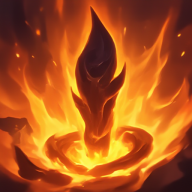
Wildfire Sparks
Maximum level 100 · 1 point per level
- Lv. 1
- Increases your Click Critical Hit Chance by 0.5%.
- Lv. 100
- Increases your Click Critical Hit Chance by 50%.

Blazing Ash
Maximum level 100 · 1 point per level
- Lv. 1
- Increases your Click Critical Hit Damage by 5%.
- Lv. 100
- Increases your Click Critical Hit Damage by 500%.

Combustion Engine
Maximum level 100 · 1 point per level
- Lv. 1
- Increases the damage multiplier of your Combo Points by 1%.
- Lv. 100
- Increases the damage multiplier of your Combo Points by 100%.

Incandescent Heat
Maximum level 100 · 1 point per level
- Lv. 1
- Increases your Click Damage by 5% for every 10,000 Combo Points reached.
- Lv. 100
- Increases your Click Damage by 500% for every 10,000 Combo Points reached.

Magmatic Infusion
Maximum level 100 · 1 point per level
- Lv. 1
- Increases Click Damage by 0.01 × min(100, log₁₀(1 + Gold))% with your current gold (maximum 1%).
- Lv. 100
- Increases Click Damage by 1 × min(100, log₁₀(1 + Gold))% with your current gold (maximum 100%).

Stoking the Flames
Maximum level 100 · 1 point per level
- Lv. 1
- Increases the damage dealt specifically by your active Auto-Clickers by 2%.
- Lv. 100
- Increases the damage dealt specifically by your active Auto-Clickers by 200%.

Blazing Force
Maximum level 100 · 1 point per level
- Lv. 1
- Increases your total Click Damage by 10%.
- Lv. 100
- Increases your total Click Damage by 1000%.

Dragon Melt
Maximum level 100 · 1 point per level
- Lv. 1
- Increases your Click Damage against all Bosses by 5%.
- Lv. 100
- Increases your Click Damage against all Bosses by 500%.

Wyrm Strike
Maximum level 100 · 1 point per level
- Lv. 1
- Increases your Click Damage against normal monsters by 3%.
- Lv. 100
- Increases your Click Damage against normal monsters by 300%.

Dragon's Breath
Maximum level 100 · 1 point per level
- Lv. 1
- Increases your Click Critical Hit Damage by 10%.
- Lv. 100
- Increases your Click Critical Hit Damage by 1000%.

Dragon's Awakening
Maximum level 100 · 1 point per level
- Lv. 1
- Multiplies your Click Critical Hit Damage by 15%.
- Lv. 100
- Multiplies your Click Critical Hit Damage by 1500%.
Combined power

Apotheosis Unbound
Maximum level 1000 · 1 point per level
- Lv. 1
- Adds 0.1% of your total Click Damage to your global DPS, AND 0.1% of your global DPS to your Click Damage.
- Lv. 1000
- Adds 100% of your total Click Damage to your global DPS, AND 100% of your global DPS to your Click Damage.
Earning and spending talent points
Talent points are awarded through zone progression. The panel displays the next zone milestone and the remaining distance, so players can decide whether to push now or improve another system first. One point buys one talent level unless a larger purchase multiplier is selected.
Selecting a node opens its description, current effect, next effect and price. Changing the multiplier updates the open talent immediately. This makes the cost of a larger investment visible before the purchase is confirmed.
Prerequisites create build paths
Most nodes are connected to earlier talents. A dark node may be unavailable because its prerequisite is incomplete, not because the interface has failed. Follow the visible connections from the root and inspect the required level before planning a distant capstone.
Multipliers are useful for developed accounts, but talent points remain scarce enough that every bulk purchase deserves confirmation. Tapping a node inspects it; the dedicated upgrade button performs the purchase. This interaction is shared between desktop and mobile to prevent accidental spending.
Choose a primary progression problem
Idle-oriented talents improve hero DPS and reward time away from the game. Click branches support manual attacks, critical clicks and active auto-clickers. Gold talents increase the number of hero levels a run can afford. Scroll talents improve the permanent reward obtained from bosses and later resets.
These paths interact. More gold can create more hero DPS; faster boss kills can produce more scrolls; stronger clicks can break a wall that idle damage almost clears. The best build is therefore determined by the weakest part of the current loop rather than a single universal ranking.
Use the total-bonus panel
The Show all bonuses control opens a compact summary of every talent effect. Values are written inside complete effect sentences, with the important percentage highlighted. Talents with no investment remain visible at zero, which makes the panel a map of both active bonuses and missing opportunities.
The Stats panel lists active talents alongside other damage sources. Comparing those two views answers different questions: the talent summary explains what the tree grants, while Stats shows how those bonuses participate in the current final value.
Reset only with a new plan
Resetting the tree costs Gems, so it should solve a defined problem. Before resetting, note which branch no longer supports the current play style, how many prerequisite points the replacement needs and whether the new build has enough points to reach its important nodes.
- Inspect the stat that currently limits zone progress.
- Choose the branch that directly improves that limitation.
- Count prerequisite levels before buying toward a distant node.
- Use the total-bonus panel to verify the completed build.
- Reset only when the replacement path is already planned.